Canva is one of the most powerful and easiest tools that can be used to design digital signage content.
This step-by-step guide will help you create and optimize designs for your digital signage screens.
The first and most important step is to make sure you get the right dimensions for your images or video. If your TV is landscape, your content dimensions need to be 1920 x 1080 pixels. If the TV is portrait, then it needs to be 1080 x 1920 pixels. Designing content smaller than these dimensions will mean that they will be stretched, resulting in a loss of quality.
Step 1: Create your Canvas
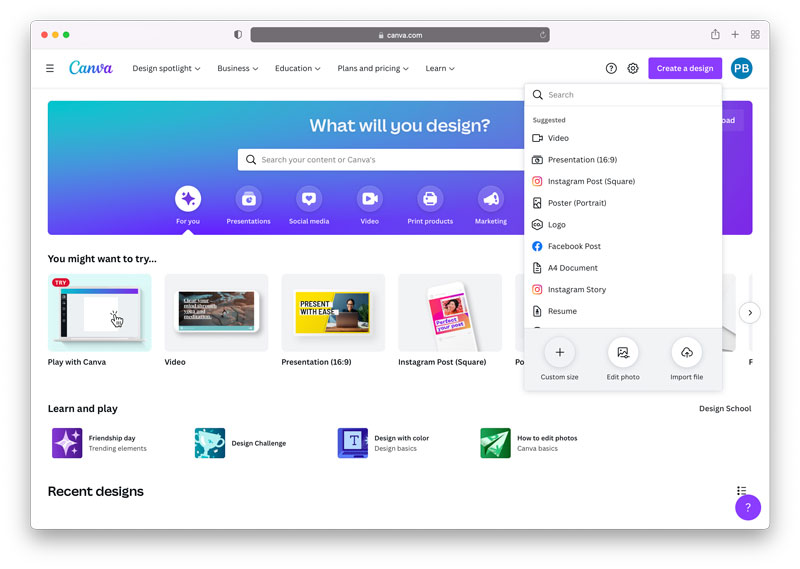
Click the ‘Create a design’ button in the top right corner, and select ‘Custom Size’.
Step 2: Content dimensions
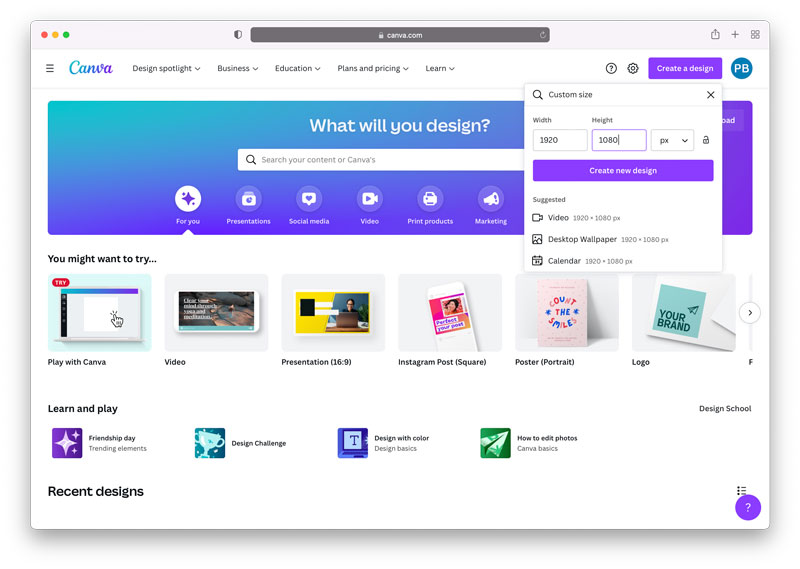
In the next pop-up, you” be prompted to enter the dimensions of your content.
Enter 1920 for width, and 1080 for height. If your TV is in portrait mode, you need to set the width to 1080 and height to 1920.
For 4K Screens the image sizes are 3840 x 2160 pixels for landscape, 2160 x 3840 pixels for portrait.
Step 3: Start Designing
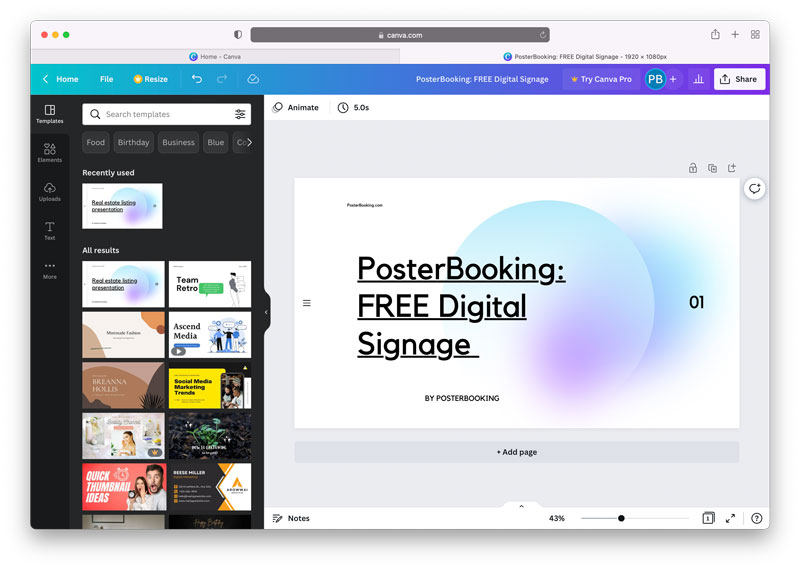
You can use any of Canva’s pre-made temples to design content, or if you are brave enough, you can make your own designs from scratch.
Step 4: Save your work
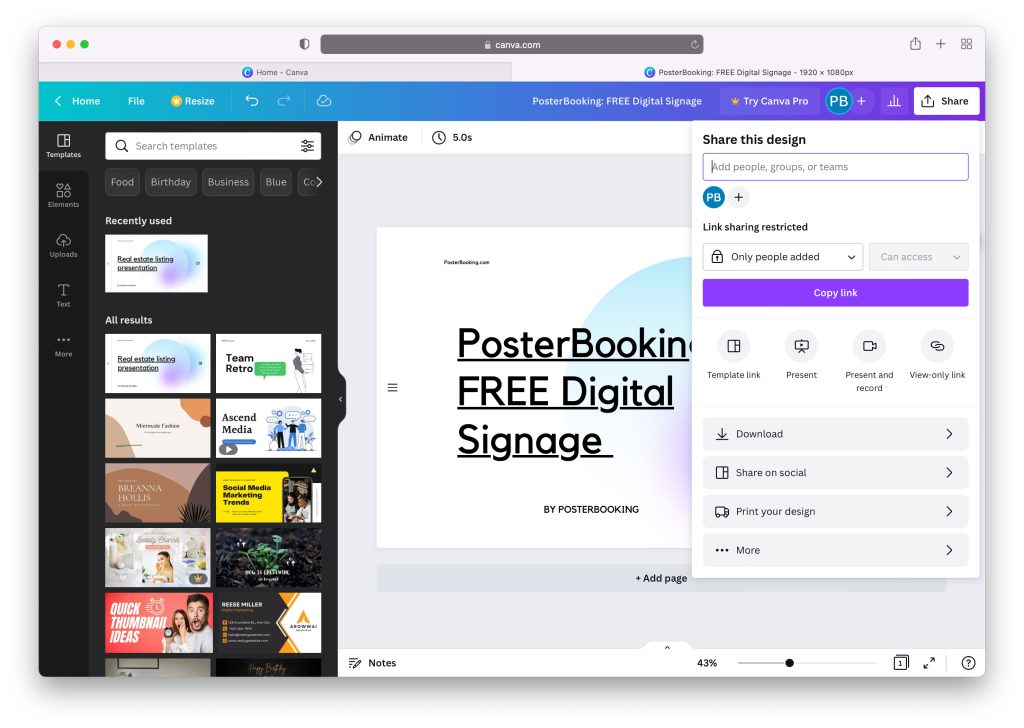
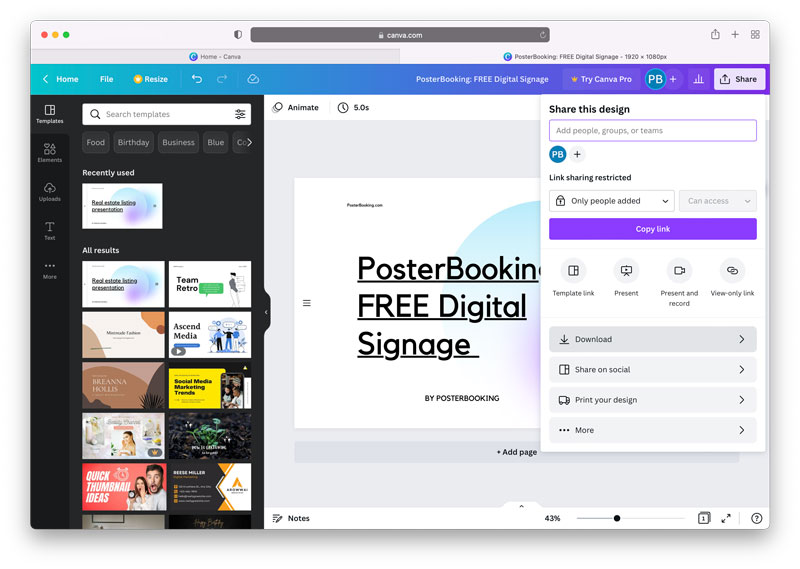
Once you’re done with and happy with your artistic flair, you can now save your content. All you need to do is click on the ‘Share’ button on the top right corner.
Step 5: Download content
Next, click on the download button, this will save the work you have done onto your device/computer.
Step 6: Select a format
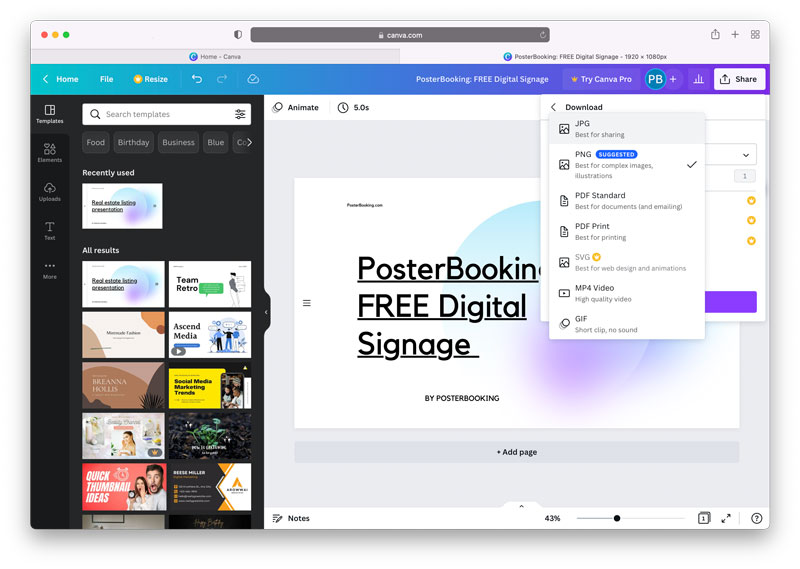
The default image format will be PNG, but we recommend saving your image as JPG, which you can choose from the dropdown button.
A JPG image will render better on your screen than a PNG.
Step 7: Saving Videos
If you’ve created a video, or added animations to your image, you will need to save the content as an MP4 Video.
A JPG image will render better on your screen than a PNG.
Step 8: Download to your device
Download the content to your device/computer.
Keep your files in a safe folder, just in case you lose it! You can now upload this image or video onto the PosterBooking Dashboard.